Project Overview

Designed and refined a child sponsorship experience for a non-profit organization, improving clarity and structure across key user interactions in a collaborative design process.

Project

Murphy Foundation - Child Sponsorship

Role

Product Designer

(Collaborative project)

Duration

12 weeks

My Contribution

  • Collaborated with a designer to build on initial concepts and user flows

  • Focused on UI refinement, interaction clarity, and visual consistency

  • Translated early ideas into structured, usable interface designs

Context

The project started with initial documentation provided by the founder, including written content and AI-generated visual references.

Early concepts were explored collaboratively, but the overall structure and user experience were not clearly defined.

Key information and interaction flows required further organization to support a more intuitive and usable experience.

Ordering Flow Issues

No clear starting point in the ordering flow

Visual Hierarchy Issues

High-visual elements dominate attention over key actions

Action & Feedback Issues

Primary action lacks clarity and progression

The Problem

The initial concepts lacked a clear structure for the sponsorship experience, making it difficult for users to understand how to explore options and complete the process.

Key information was not well organized, and the decision-making flow was unclear across different stages.

Ordering Flow Issues

No clear starting point in the ordering flow

Visual Hierarchy Issues

High-visual elements dominate attention over key actions

Action & Feedback Issues

Primary action lacks clarity and progression

What I did

Ordering Flow Issues

No clear starting point in the ordering flow

Visual Hierarchy Issues

High-visual elements dominate attention over key actions

Action & Feedback Issues

Primary action lacks clarity and progression

Structure & Flow
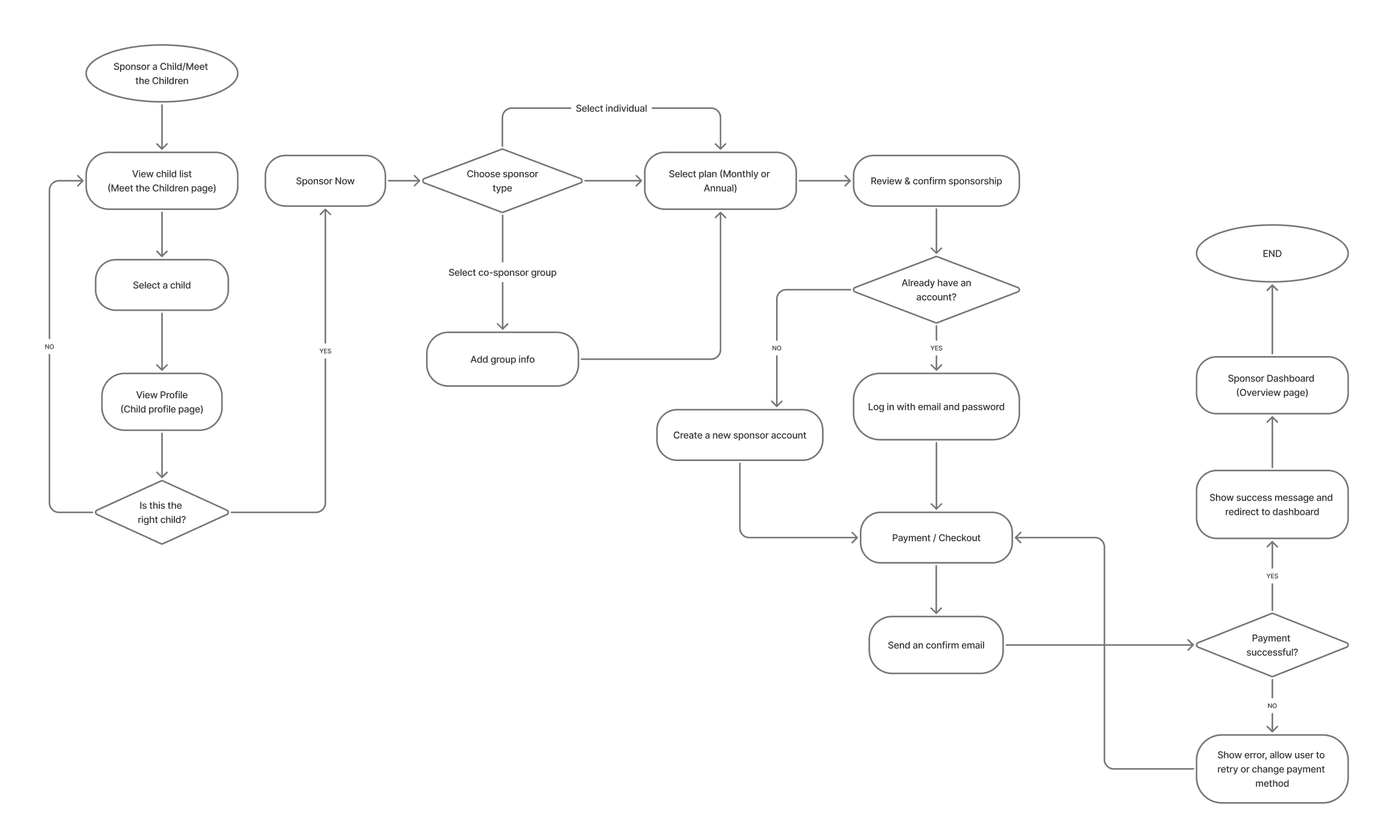
Reorganized the user flow to simplify the journey from browsing children to completing sponsorship, reducing confusion in key decision steps. Clarified entry points and transitions between stages to create a more coherent and predictable experience.

Information & Layout

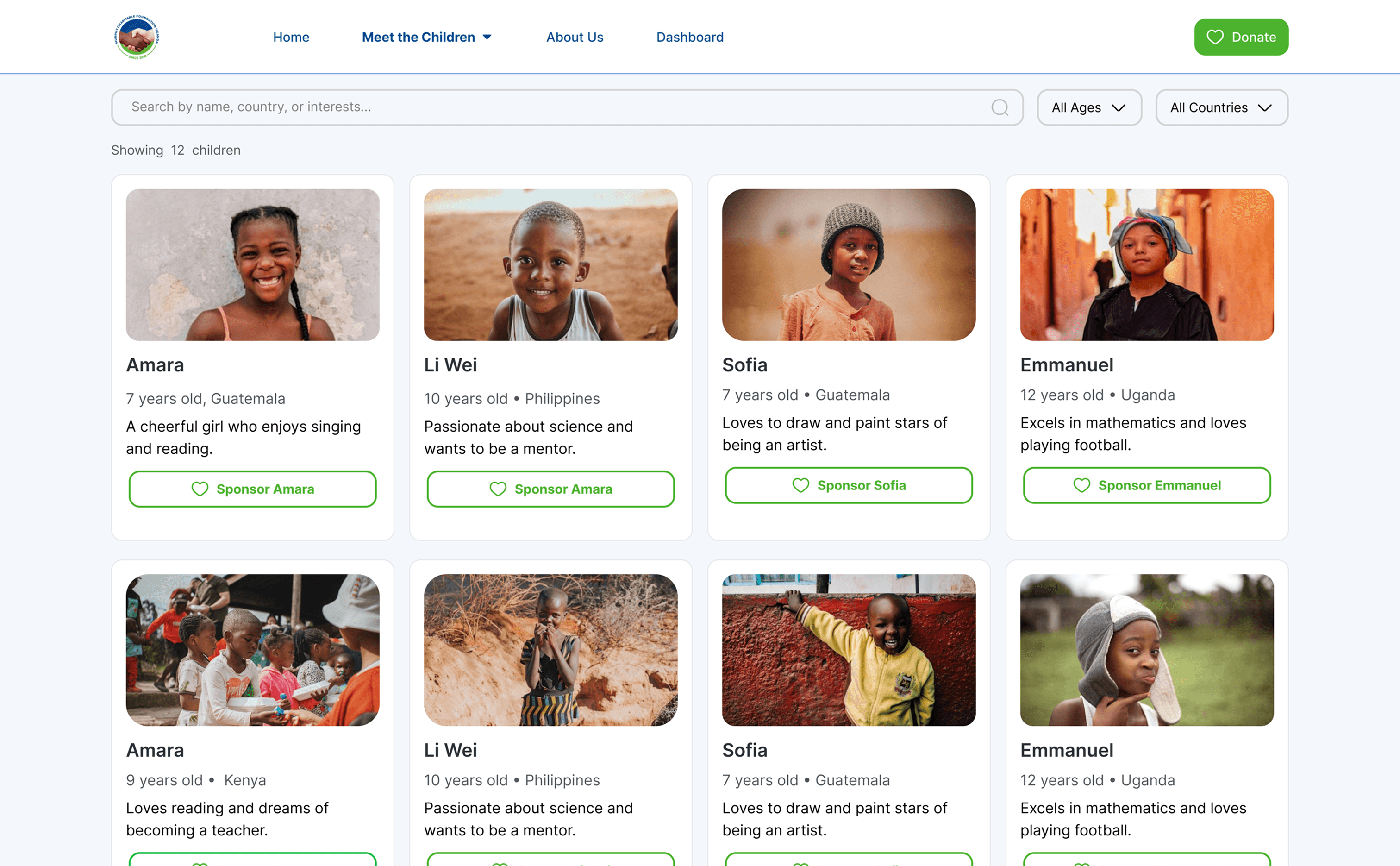
Improved information hierarchy across key screens to support better readability and user understanding.

Structured content in a way that helps users quickly compare options and make informed decisions.

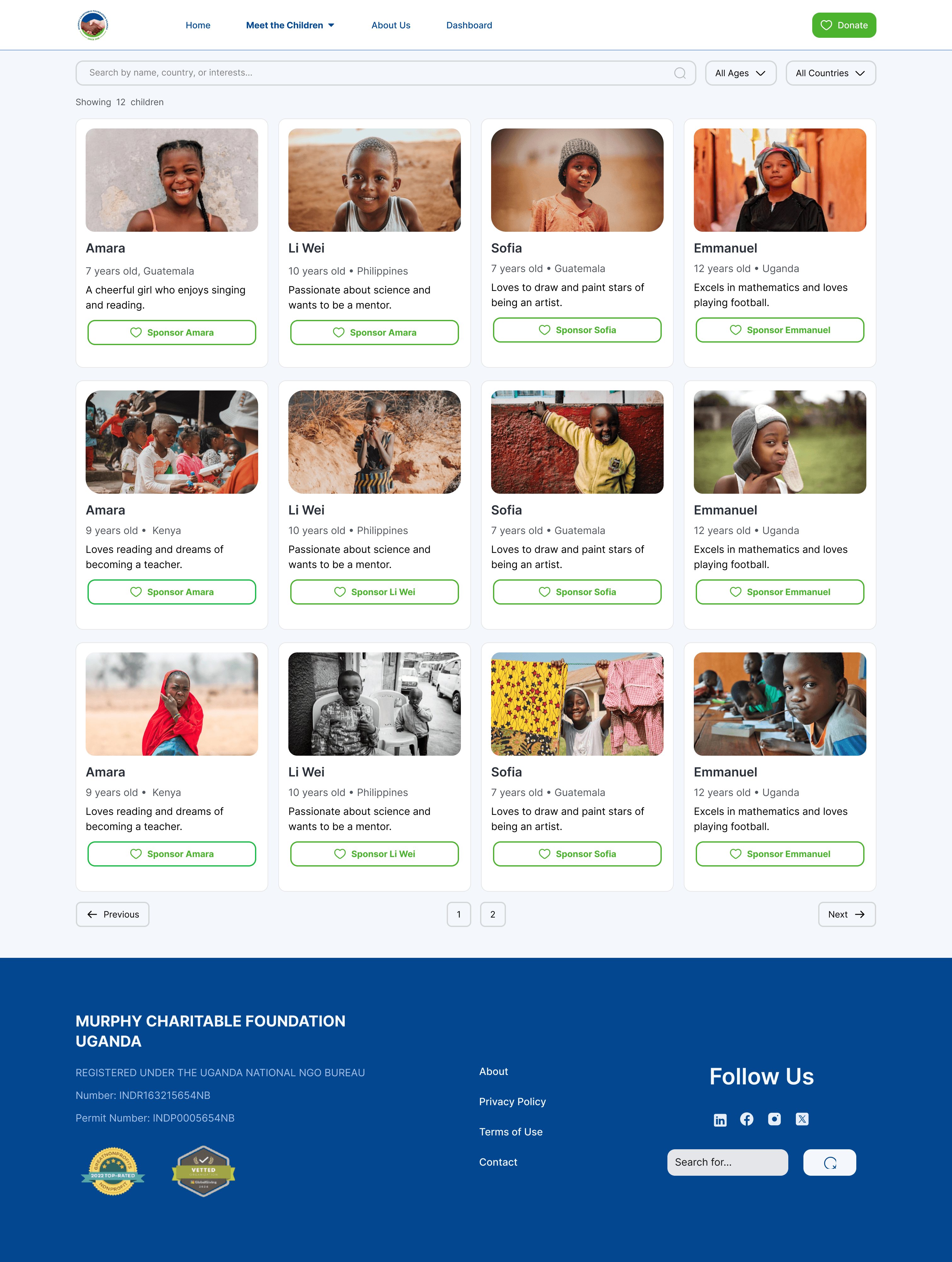
Example of improved content structure and hierarchy in the child browsing experience.

UI & Consistency

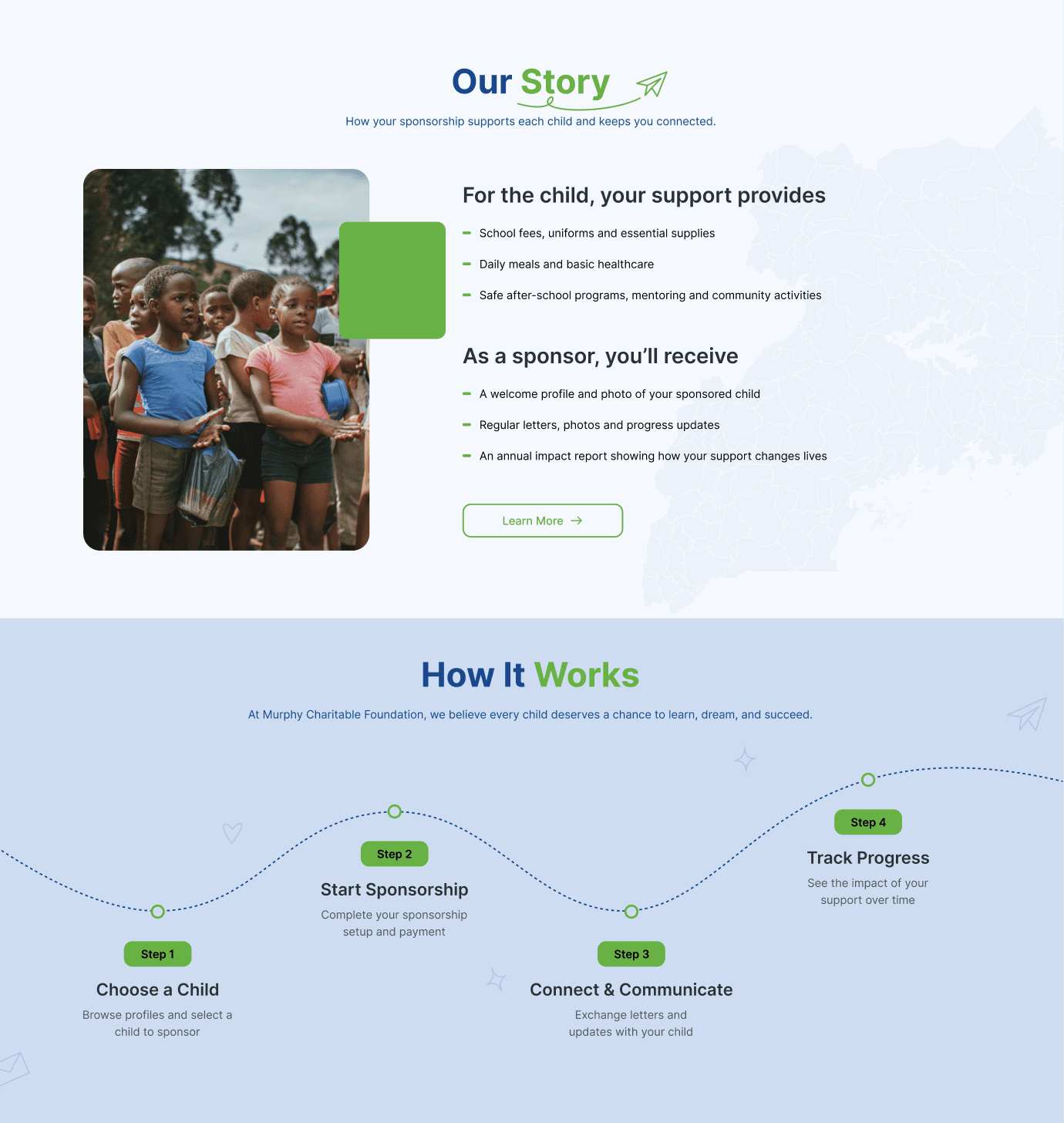
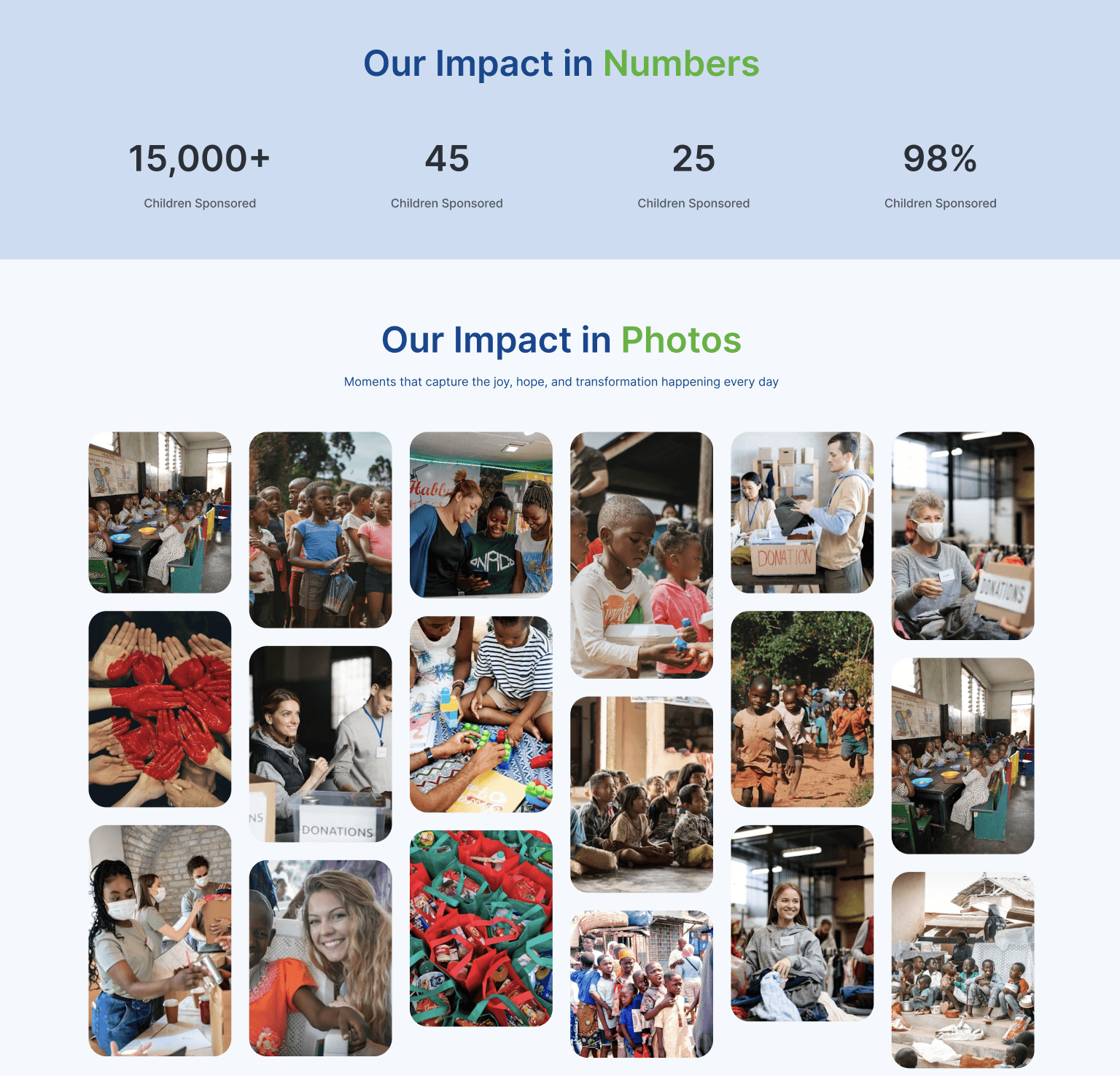
Refined visual design and component consistency to create a cohesive interface across the experience.

Aligned layouts, typography, and interaction patterns to improve usability and reduce cognitive load.

Consistent visual system applied across key screens to improve usability and reduce cognitive load.

Design

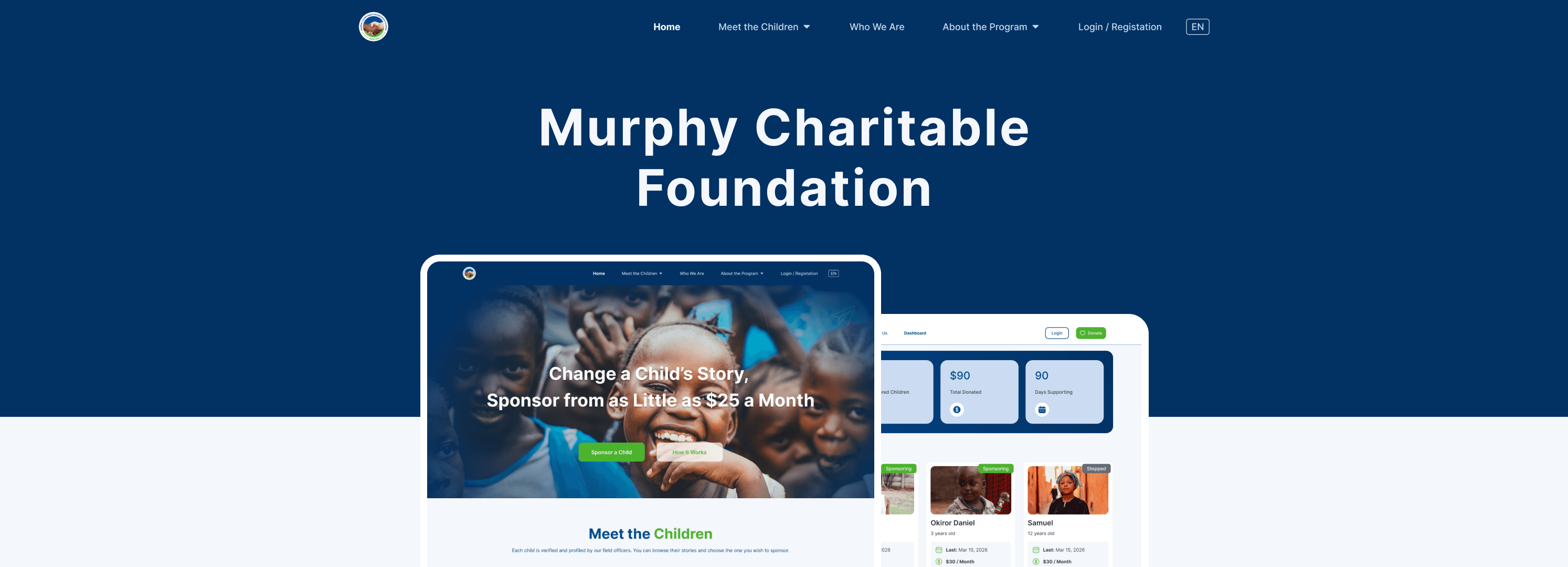
Home

List

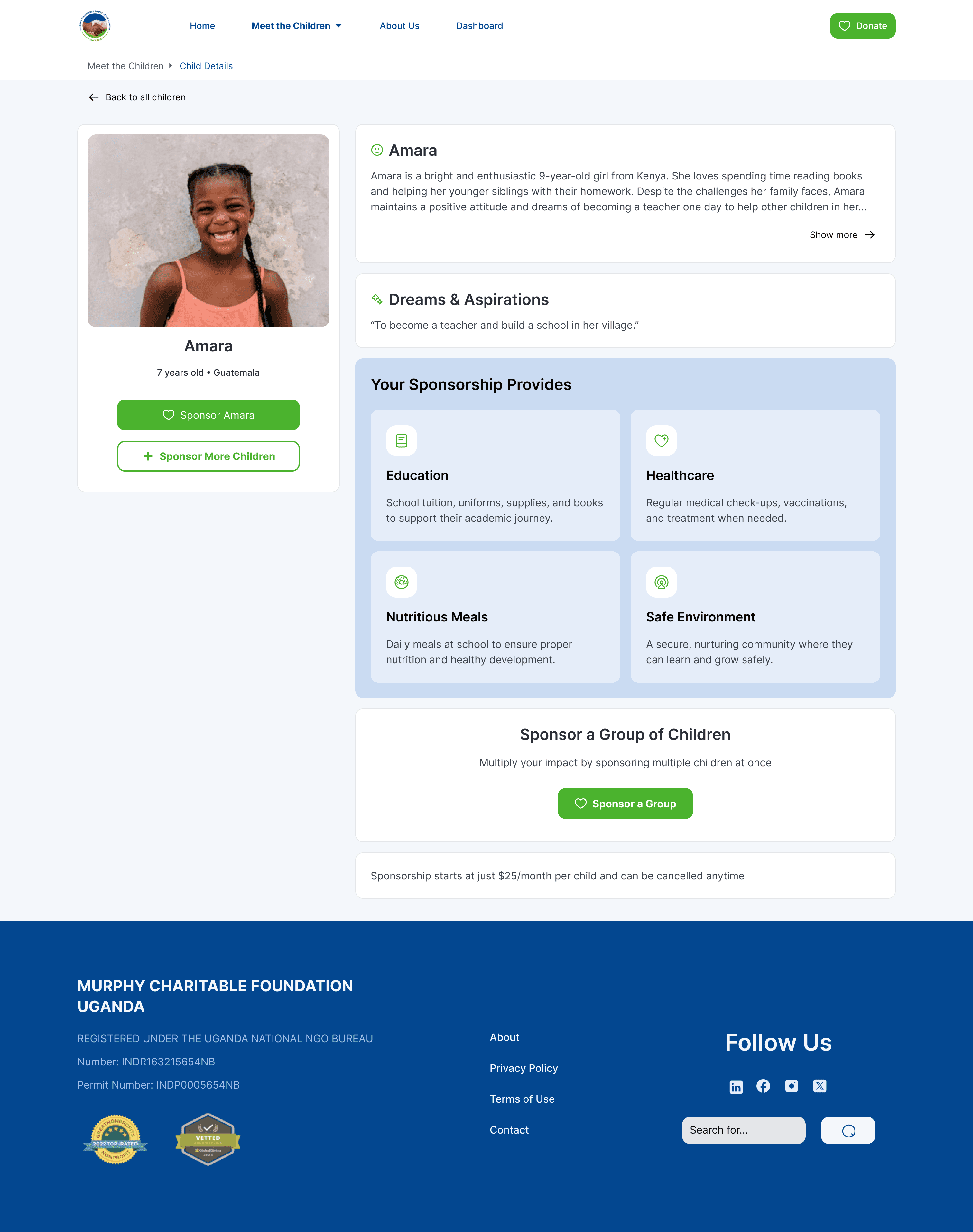
Details

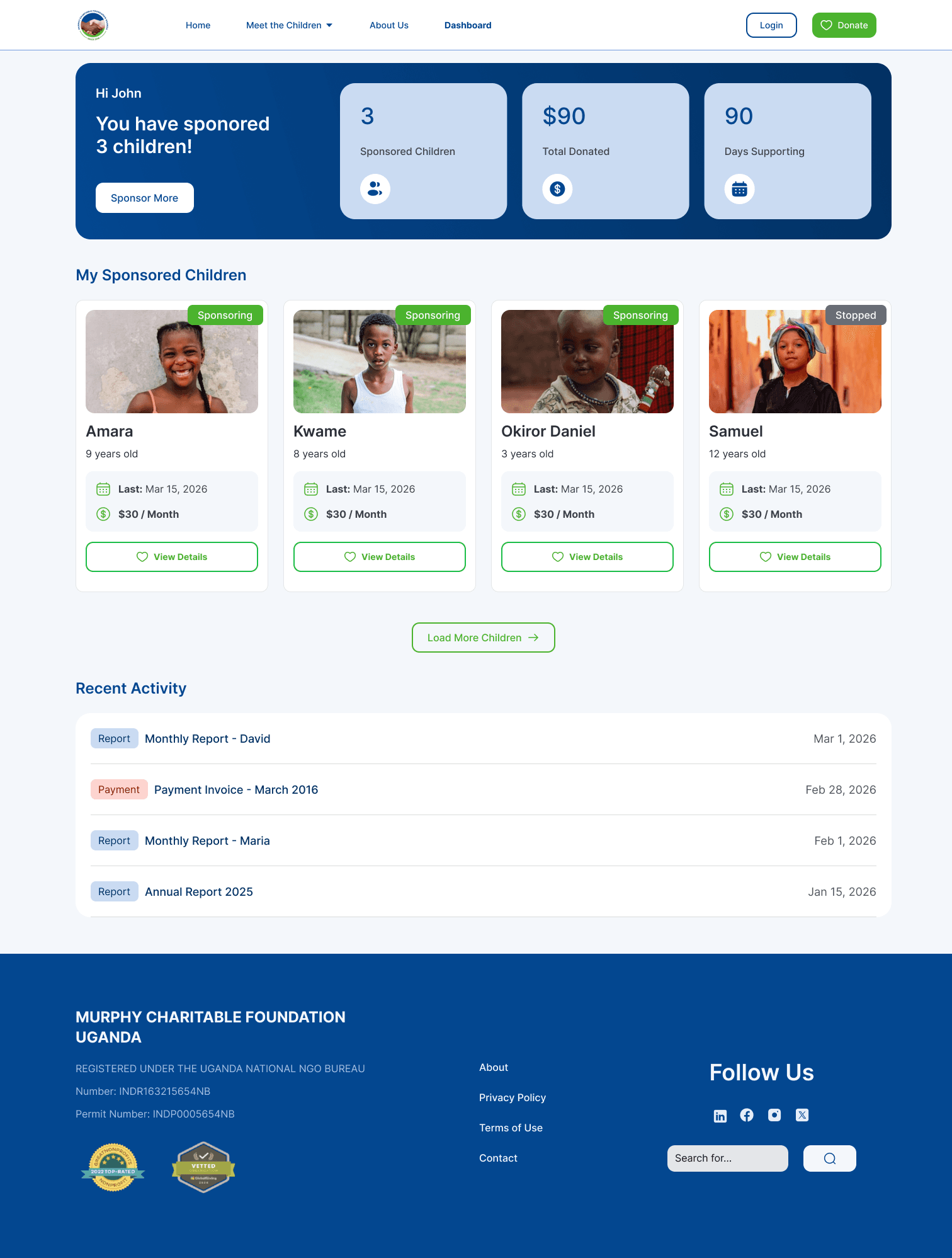
Dashboard
Ordering Flow Issues

No clear starting point in the ordering flow

Visual Hierarchy Issues

High-visual elements dominate attention over key actions

Action & Feedback Issues

Primary action lacks clarity and progression

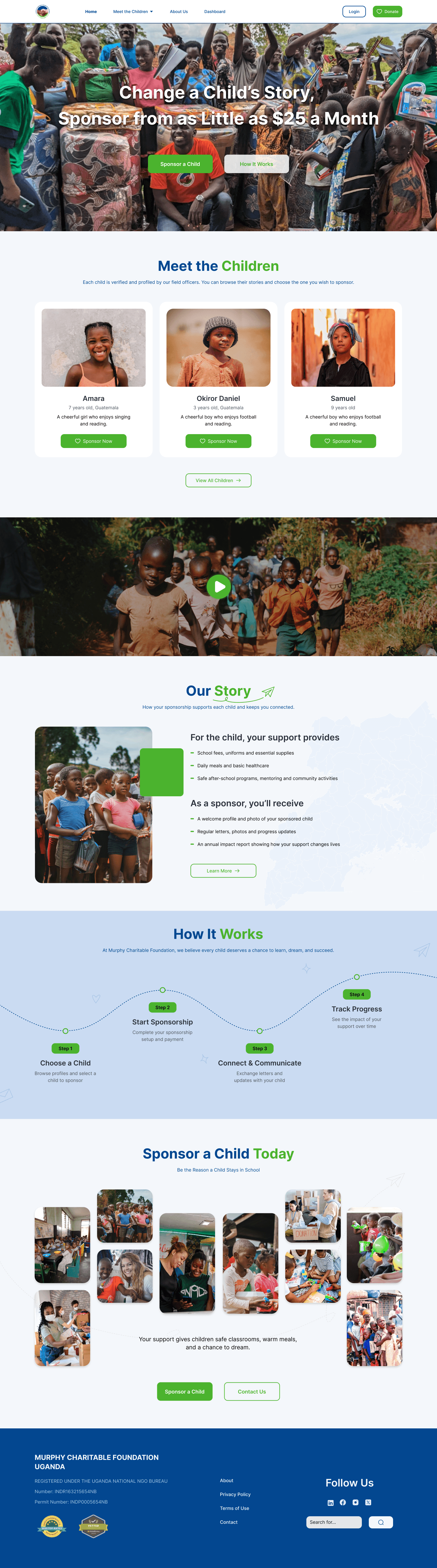
Final interface designs across key screens, including browsing, detail, and dashboard experiences.

Outcome

Delivered a clearer and more structured experience, making the sponsorship process easier to understand and navigate.

Improved usability and visual consistency across key user interactions, supporting a smoother end-to-end experience.

Ordering Flow Issues

No clear starting point in the ordering flow

Visual Hierarchy Issues

High-visual elements dominate attention over key actions

Action & Feedback Issues

Primary action lacks clarity and progression

© 2026 Bing Bai. All rights reserved.

wsbingbai@gmail.com