Project Overview

Project Overview

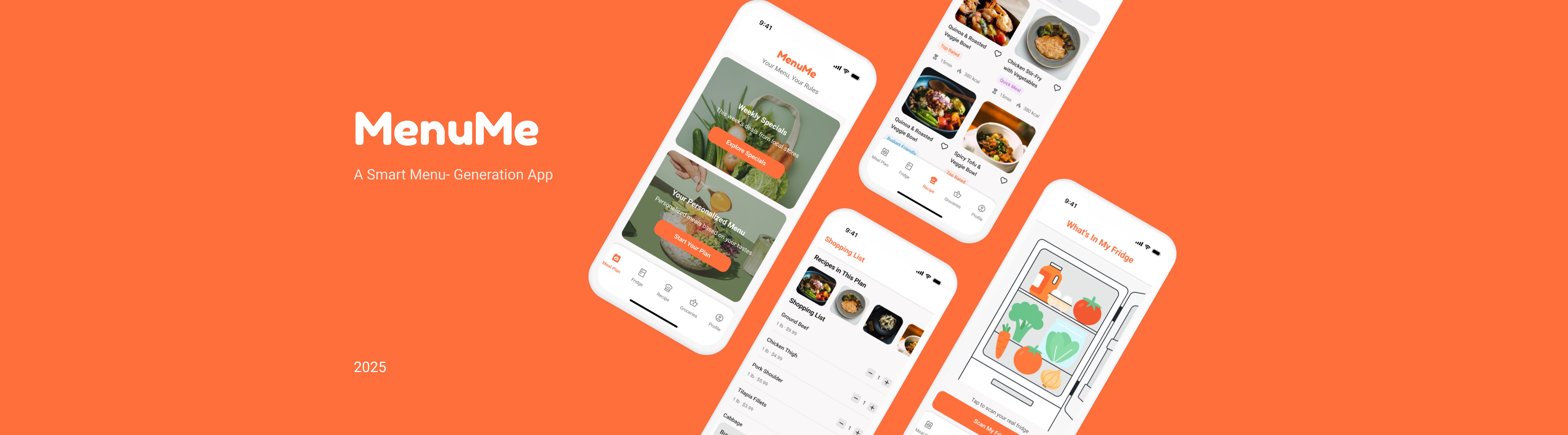
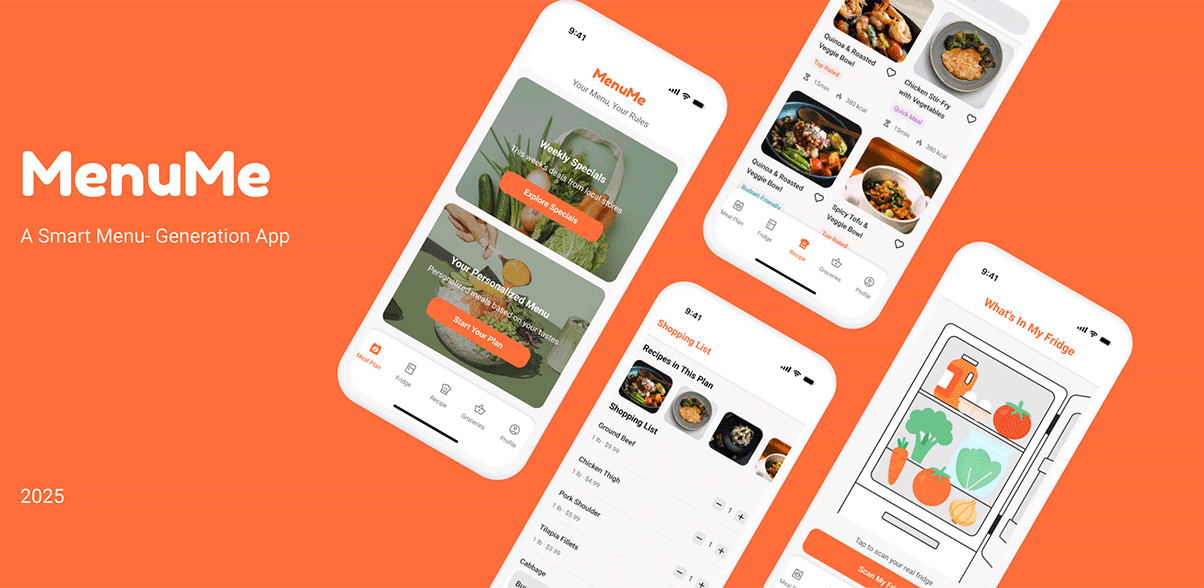
Designed a meal planning experience with dual entry points, allowing users to plan meals based on either personal preferences or available ingredients.

The system helps users reduce decision fatigue and efficiently move from meal planning to execution.

Designed a meal planning experience with dual entry points, allowing users to plan meals based on either personal preferences or available ingredients.

The system helps users reduce decision fatigue and efficiently move from meal planning to execution.

Project

Project

MenuMe

MenuMe

Role

Role

Product Designer

(Collaborative project)

Product Designer

(Collaborative project)

Duration

14 weeks

Duration

14 weeks

My Contribution

  • Led task planning and coordinated team responsibilities throughout the project

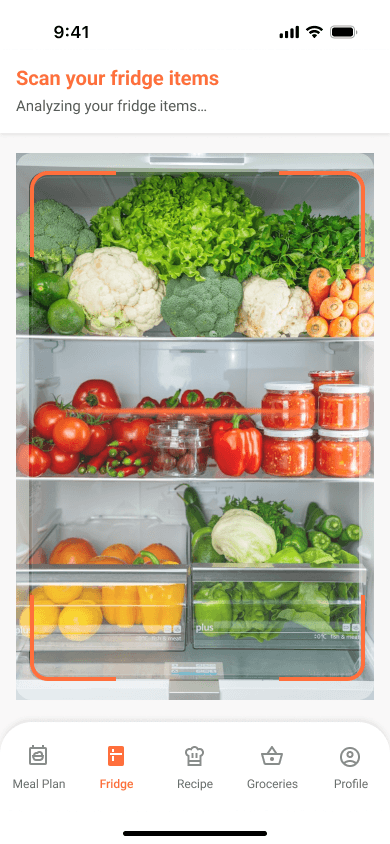
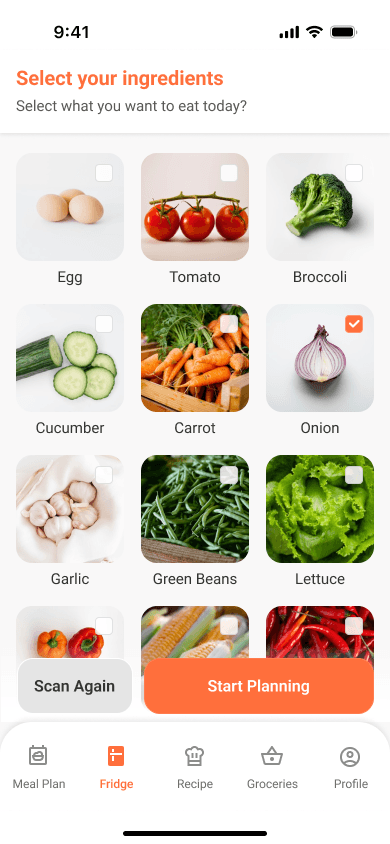
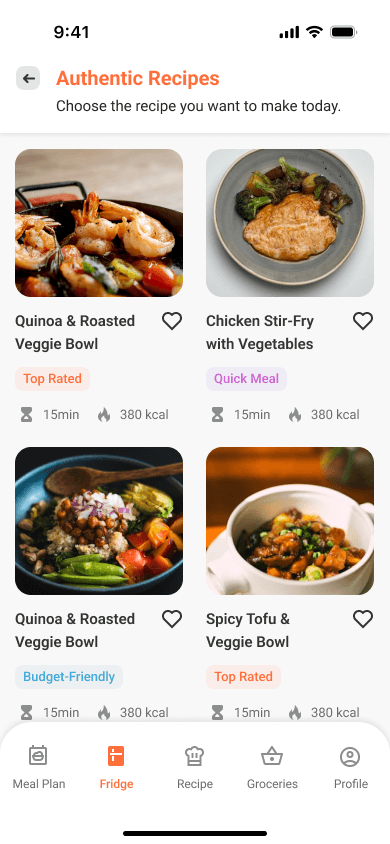
  • Designed the fridge-based planning flow, including ingredient scanning, selection, and recipe generation

  • Refined the overall visual style to improve consistency across mobile screens

  • Built interactive prototypes and adapted key screens for tablet layouts

My Contribution

  • Led task planning and coordinated team responsibilities throughout the project

  • Designed the fridge-based planning flow, including ingredient scanning, selection, and recipe generation

  • Refined the overall visual style to improve consistency across mobile screens

  • Built interactive prototypes and adapted key screens for tablet layouts

The Problem

The Problem

Users struggle with meal planning due to time constraints, lack of ideas, and difficulty organizing ingredients and preferences.

Users struggle with meal planning due to time constraints, lack of ideas, and difficulty organizing ingredients and preferences.

Ordering Flow Issues

No clear starting point in the ordering flow

Visual Hierarchy Issues

High-visual elements dominate attention over key actions

Action & Feedback Issues

Primary action lacks clarity and progression
Key Insight

Key Insight

Users don’t lack meal options - they struggle with decision fatigue and organizing available ingredients into practical plans.

Users don’t lack meal options - they struggle with decision fatigue and organizing available ingredients into practical plans.

Ordering Flow Issues

No clear starting point in the ordering flow

Visual Hierarchy Issues

High-visual elements dominate attention over key actions

Action & Feedback Issues

Primary action lacks clarity and progression
The Solution

The Solution

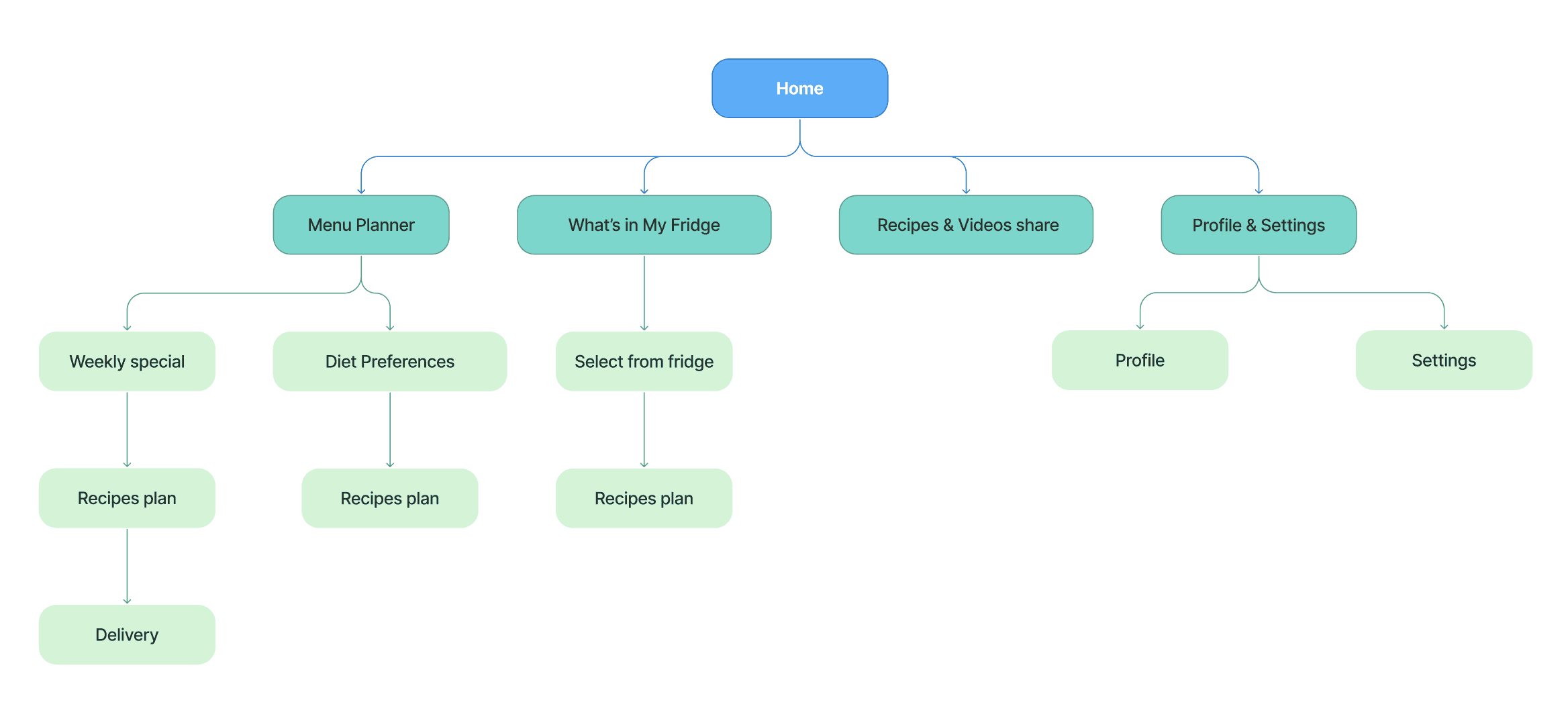
Designed a system with three key entry points to support different user needs: planning ahead, using available ingredients, and exploring recipes.

Designed a system with three key entry points to support different user needs: planning ahead, using available ingredients, and exploring recipes.

Ordering Flow Issues

No clear starting point in the ordering flow

Visual Hierarchy Issues

High-visual elements dominate attention over key actions

Action & Feedback Issues

Primary action lacks clarity and progression

Design

Design

Home

Home

Meal planning flow

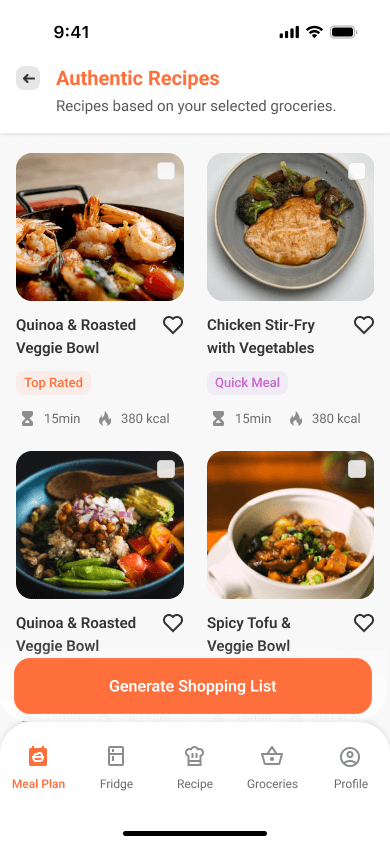
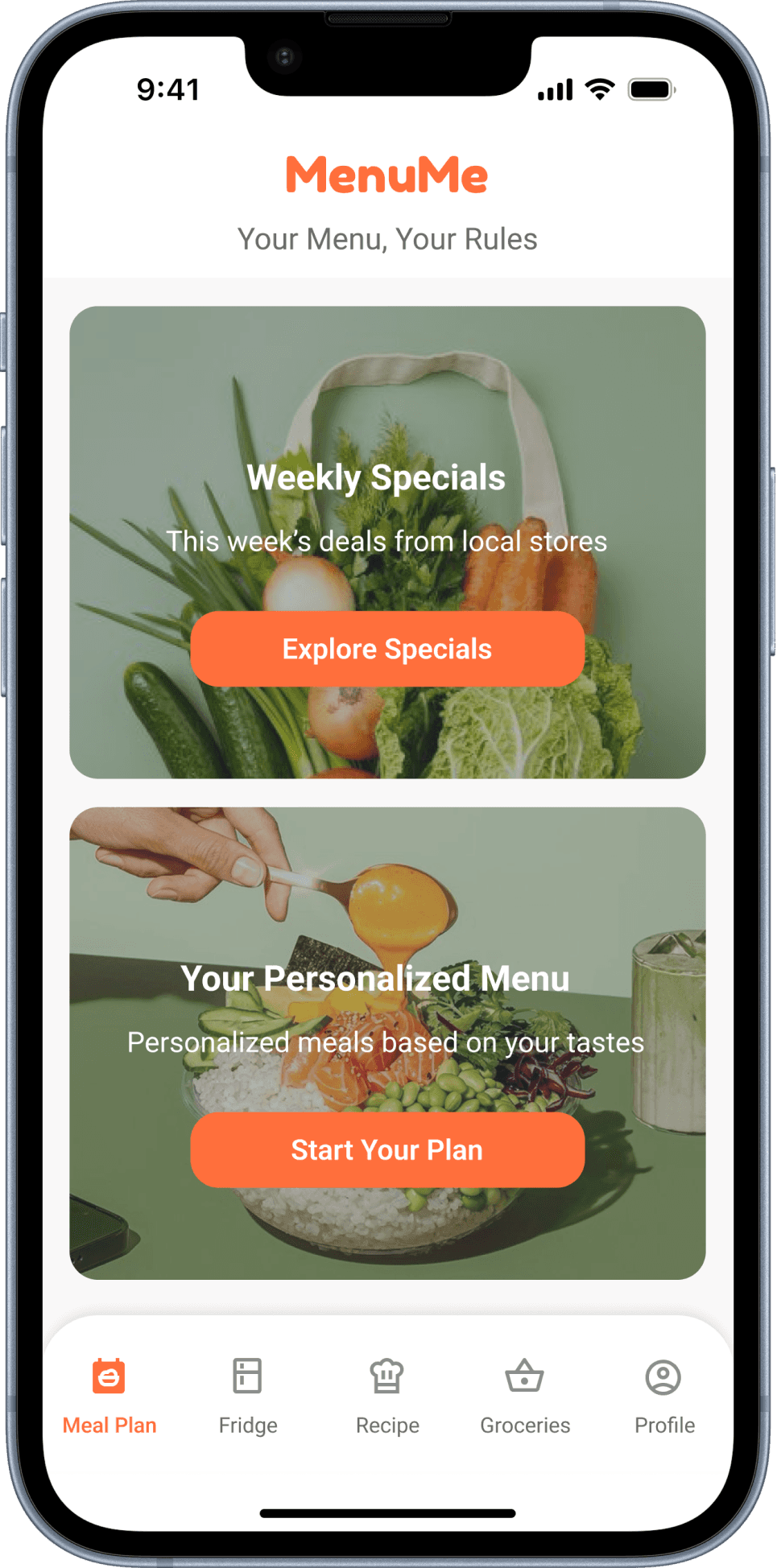
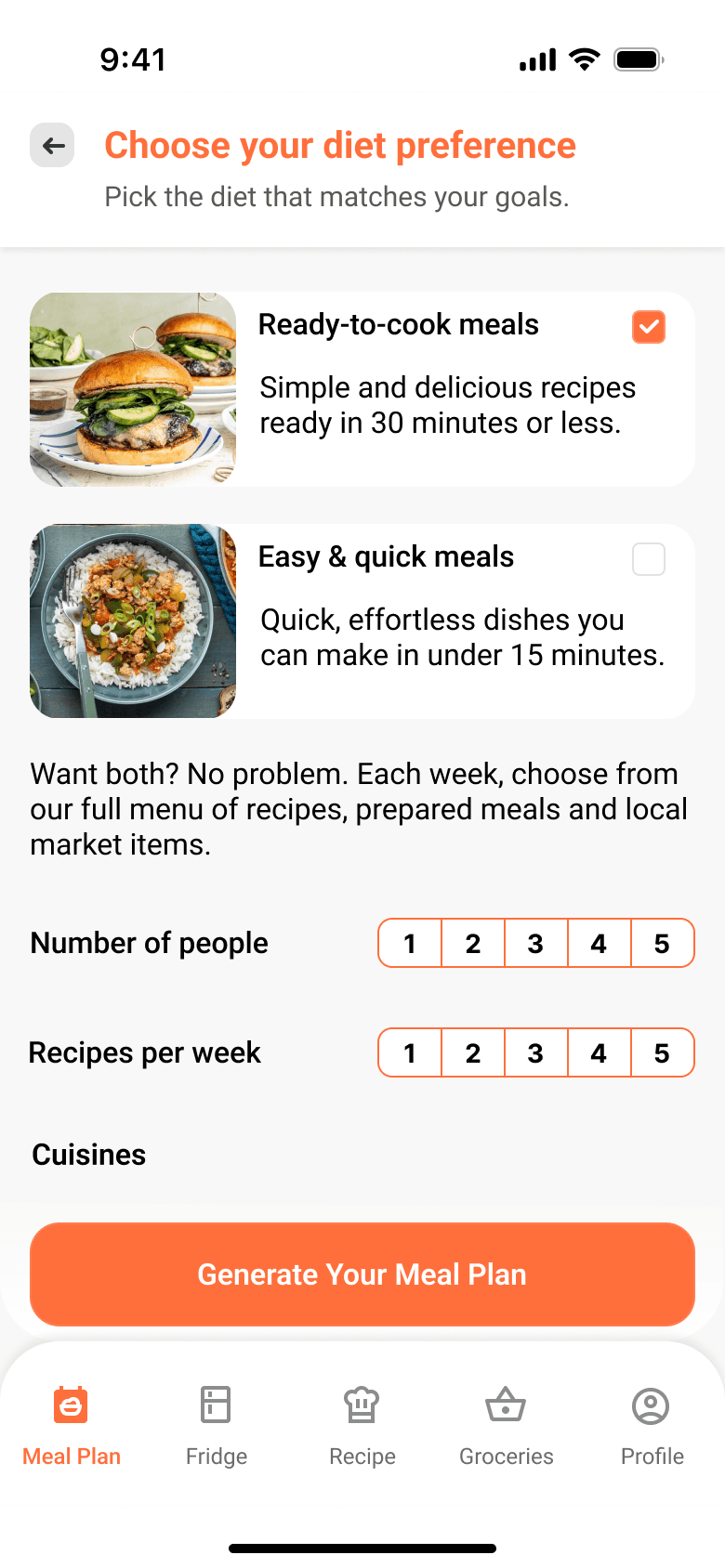
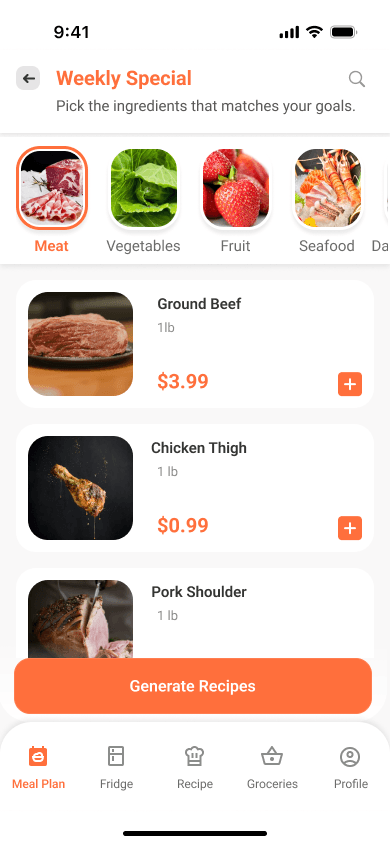
Designed a meal planning experience with two entry points: a personalized path based on user preferences, and a weekly special path focused on budget-friendly options.

Both flows guide users from selecting ingredients to generating recipes and completing a shopping list, supporting different planning behaviors while keeping the overall experience simple and efficient.
Fridge-based planning

A context-based flow that helps users plan meals using ingredients they already have, reducing waste and simplifying decision-making.

Ordering Flow Issues

No clear starting point in the ordering flow

Visual Hierarchy Issues

High-visual elements dominate attention over key actions

Action & Feedback Issues

Primary action lacks clarity and progression
Testing & Validation

Testing & Validation

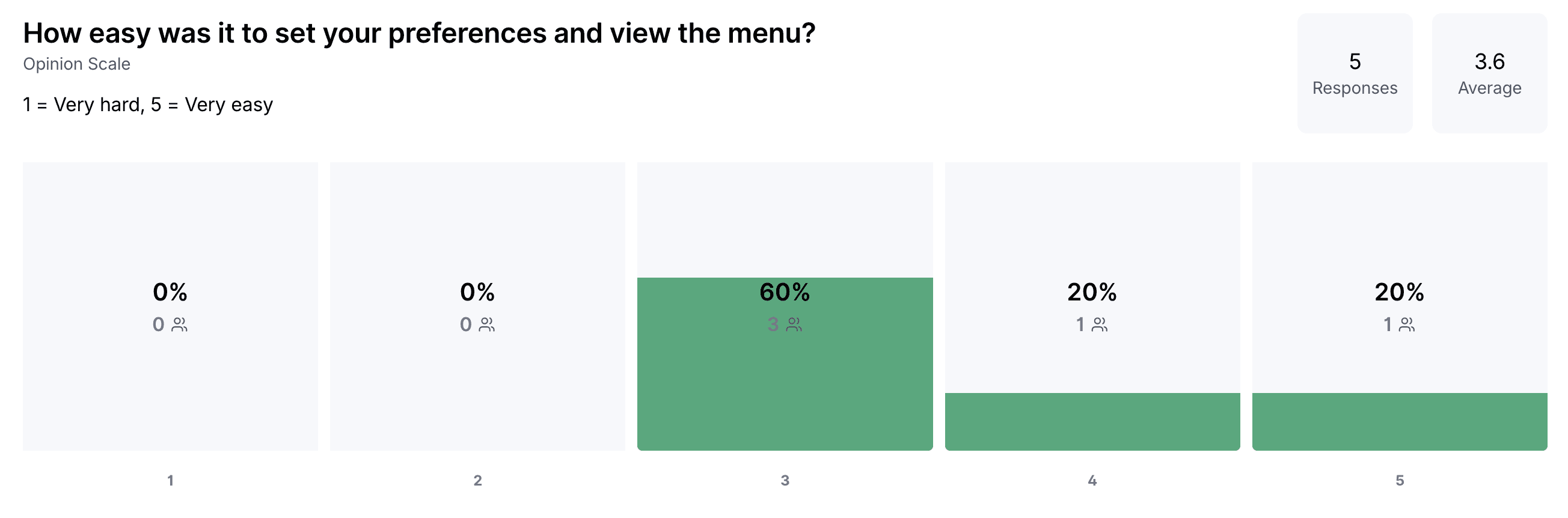
Conducted usability testing using Maze with peer participants to evaluate the clarity and ease of the meal planning experience.


Testing revealed that users experienced friction in the early stages of the flow, particularly when setting preferences and understanding how to begin the planning process.

These findings indicate that the onboarding and initial decision points require clearer guidance and simplification.

Conducted usability testing using Maze with peer participants to evaluate the clarity and ease of the meal planning experience.


Testing revealed that users experienced friction in the early stages of the flow, particularly when setting preferences and understanding how to begin the planning process.

These findings indicate that the onboarding and initial decision points require clearer guidance and simplification.

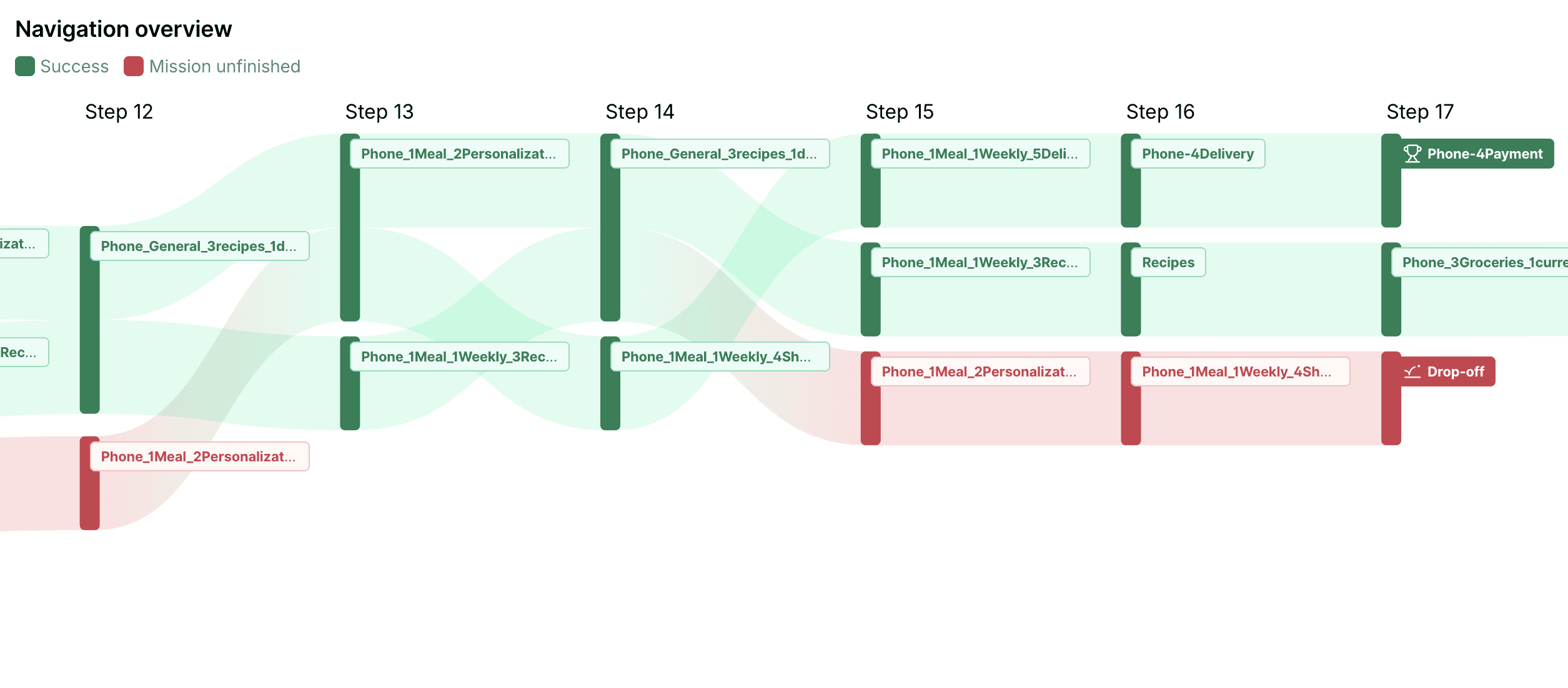
User flow analysis highlighted drop-offs between personalization and recipe exploration, informing refinements in flow structure and interaction clarity.

User flow analysis highlighted drop-offs between personalization and recipe exploration, informing refinements in flow structure and interaction clarity.

Ordering Flow Issues

No clear starting point in the ordering flow

Visual Hierarchy Issues

High-visual elements dominate attention over key actions

Action & Feedback Issues

Primary action lacks clarity and progression
Outcome

Outcome

Validated the core meal planning concept through usability testing, confirming the effectiveness of dual entry points for different user needs.

Identified opportunities to improve onboarding clarity and simplify early decision-making steps

Validated the core meal planning concept through usability testing, confirming the effectiveness of dual entry points for different user needs.

Identified opportunities to improve onboarding clarity and simplify early decision-making steps

Ordering Flow Issues

No clear starting point in the ordering flow

Visual Hierarchy Issues

High-visual elements dominate attention over key actions

Action & Feedback Issues

Primary action lacks clarity and progression

© 2026 Bing Bai. All rights reserved.

wsbingbai@gmail.com

Let's Talk